Have you ever questioned how you can increase the sales of your WooCommerce store? Sure, you can run more ads, do some SEO or reduce the profit margin on the product! But is it deserving spending more on ads? Is it worth doing SEO when you realize major eCommerce companies like amazon is already ranking on those keywords? The simple solution is to do something out of the box to boost sales.
The problem of sales
The question
What if someone says that no need to spend more on marketing and you can still increase the sales. It sounds sketchy, isn’t it?
The solution
Here comes the Simple Sticky Add To Cart For WooCommerce to save the day. It is a creative WooCommerce plugin developed by addonsplus to help you with just the situation we presented above.
Simple Sticky Add To Cart works with the WooCommerce plugin and shows a bar on the single product page of your website. The bar is sticky on the page so, no matter where your user scrolls. It constantly shows the Add To Cart Button on the page.
Now, how does this boost sales?
After working on many woocommerce websites, we recognized that people want to buy the product. But with a long product description, when they finally decide to add a product to the cart. They didn’t find the add to cart button. Here Simple Sticky Add To Cart works with WooCommerce like magic!
Tell me more about Simple Sticky Add To Cart For WooCommerce
After installing our plugin, visitors don’t bounce on the product page to find the Simple add to cart button. It is constantly on the screen, no matter how much you scroll. Our light version of a plugin, a simple sticky add to cart, is free available on wordpress.org so, anyone can experiment with it on their website.
I want the pro version
If you are looking to get some pro advantages of sales, you can check the demo of the pro version by clicking here and check the pricing of the pro version by clicking here.

Color Customization
Pro version supports variable dropdown
Blend with theme
Simple to use
Simple Sticky Add To Cart Design
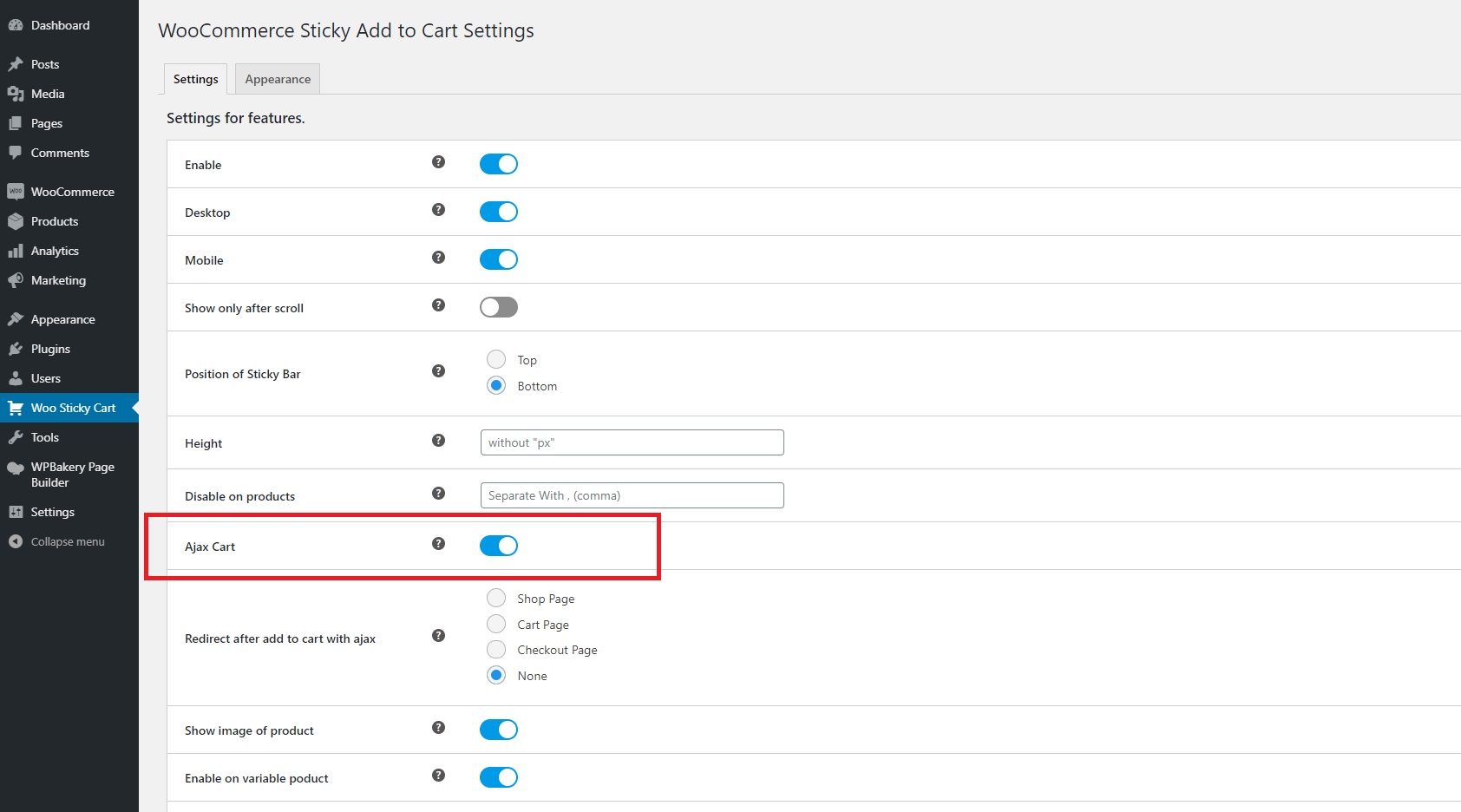
Please follow the below steps to fix the ajax add to cart bar not working issue.
1) Enable Ajax Cart option from Woo Sticky Cart settings
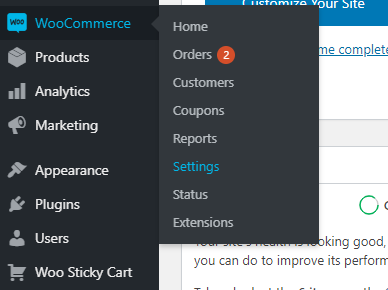
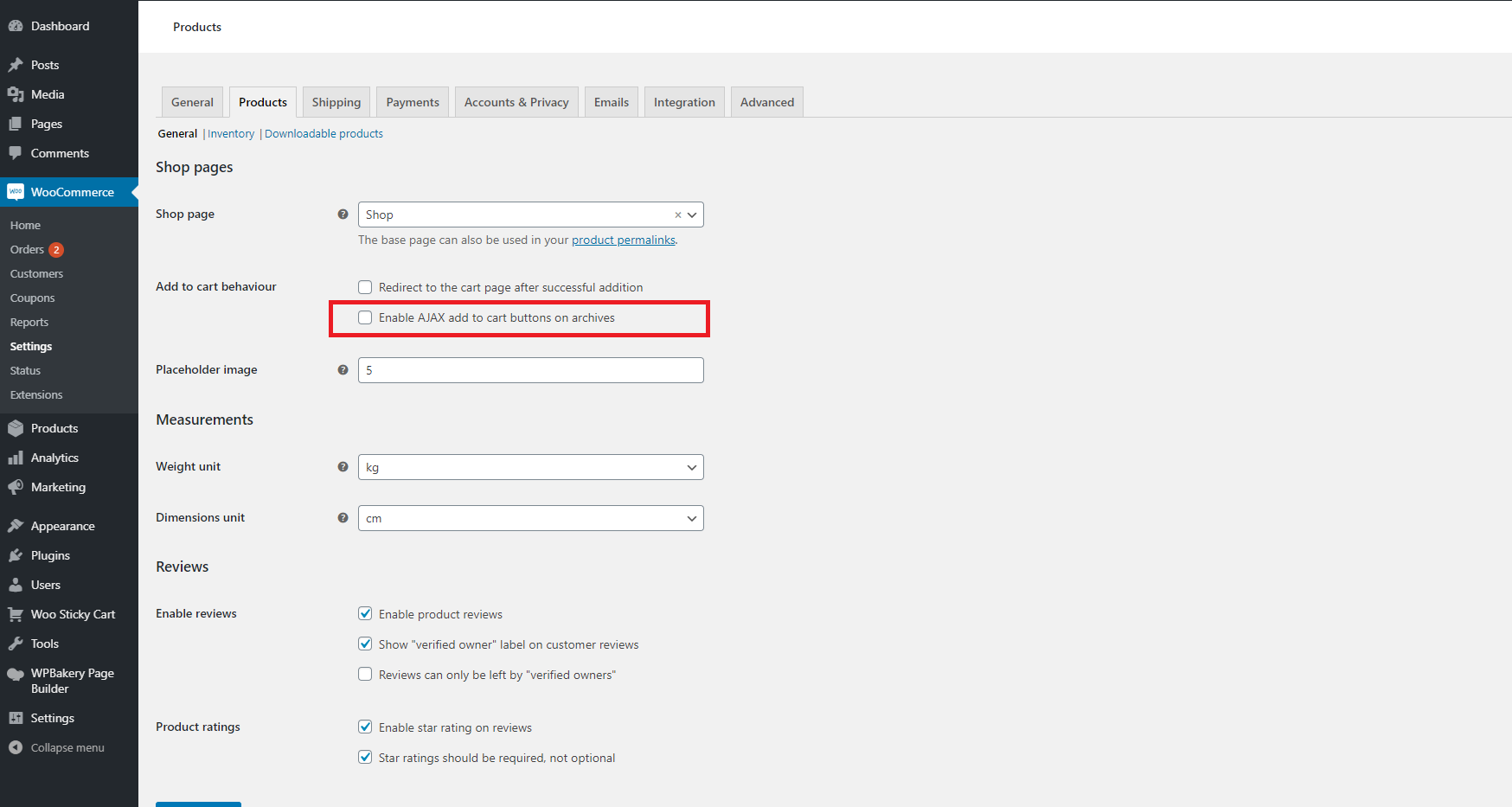
2) Go to WooCommerce > Settings > Products
3) Enable AJAX add to cart buttons on archives
4) Clear the cache if you are using the cache plugin.
Please follow the below steps to upload the plugin.
1) Download the zip file from addonsplus.com website
2) Extract the zip file.
3) You will find 3 files 1. addonsplus-wsc 2. Licensing 3. addonsplus-wsc.zip
4) Remove the free version of the plugin from your website.
5) Upload addonsplus-wsc.zip using WordPress plugin page.
6) Activate the plugin.